What is a seamless pattern? Repeat types, scale and uses
A seamless pattern is a tile whose edges match, so copies join with no visible line. This guide covers the main repeat types, how tile size and DPI set the printed scale, how to check a tile and where seamless patterns are used.
Updated
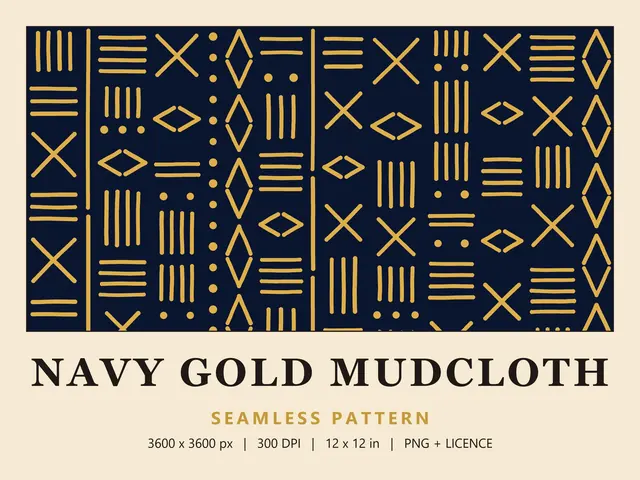
What a seamless pattern is
A seamless pattern is a single image, usually a square tile, whose edges are made to match. Place copies next to each other in every direction, and the design carries on across every join with no visible line. Because the tile repeats, one file can cover anything from a gift tag to a wall.
You'll also hear it called a repeat pattern, a seamless repeat or a tileable pattern, and web and 3D designers call it a seamless texture or background. In geometric terms, the tile tessellates: its copies cover a surface with no gaps and no overlaps.
How the edges match
Whatever leaves the tile at the right edge comes back in at the left edge, and whatever leaves at the bottom comes back in at the top. A flower cut in half by the right edge has its other half waiting on the left edge, so two copies placed side by side complete it.
That's why a seamless tile can look slightly odd on its own, with motifs cut off at the sides. The cut-offs are deliberate, and they only make sense when the tile repeats.
Types of seamless repeats
The repeat type describes how copies of the tile sit next to each other. These are the four you'll meet most often:
- Block or straight repeat: copies sit in a simple grid, straight across and straight down. Spoonflower calls this a basic repeat, and Illustrator calls it Grid.
- Half-drop repeat: each column of tiles drops by half a tile, which makes the grid harder to spot.
- Half-brick repeat: each row shifts sideways by half a tile, like bricks in a wall.
- Mirror repeat: the tile is flipped horizontally and vertically, so each edge meets its own reflection.
A finished tile already has its arrangement built in. Wild Little Designs files tile edge to edge in every direction, so pick the basic or grid option when you upload one to a print service or design app. A half-drop or half-brick setting can push the edges out of line and leave visible joins.
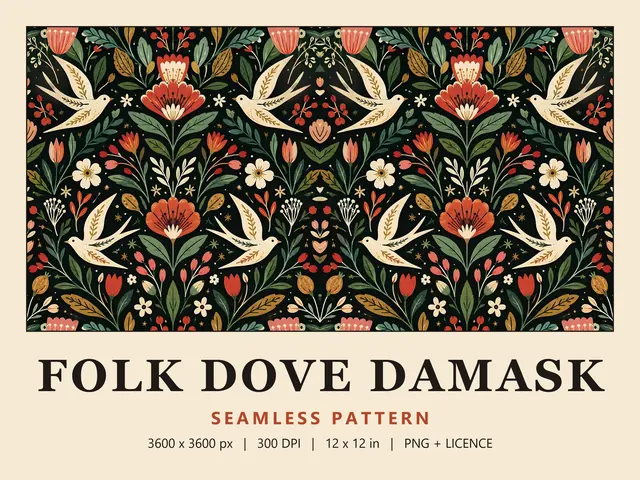
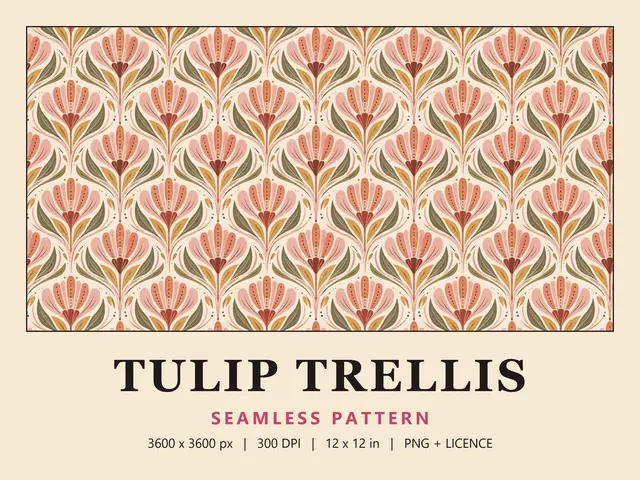
Layouts are also described by what's inside the tile. Tossed prints scatter motifs in every direction, stripe layouts run in bands, like Navy Gold Mudcloth, and damasks mirror their motifs, as in Folk Dove Damask. Trellis and ogee layouts frame each motif in a repeating lattice.
Tile size, scale and DPI
A digital tile is measured in pixels. DPI, or dots per inch, tells the printer how many of those pixels go into each inch, which sets the printed size of one repeat:
- At 300 DPI, a 3600 x 3600 px tile prints at 12 x 12 in (30.5 cm).
- At 150 DPI, the same tile prints at 24 x 24 in (61 cm), and every motif doubles in size.
- At 600 DPI, it prints at 6 x 6 in (15.2 cm), with smaller motifs and more repeats in the same space.
Most Wild Little Designs patterns are 3600 x 3600 px PNG files at 300 DPI, so one repeat prints at 12 in, and a few bundles come as JPG files in ZIP folders. Some fabric printers work at a lower resolution: Spoonflower shows an upload at 150 DPI by default, so a 3600 px tile appears 24 in wide until you scale it down to 50%.
Scaling down keeps the print sharp, because more pixels go into each inch. A 4 in repeat at 300 DPI needs only 1200 px, so a 3600 px tile scaled to a third prints crisply. Scaling up spreads the same pixels further, so fine detail softens. Spoonflower treats 150 DPI as its minimum for a good-quality print, while 300 DPI is the usual standard for paper you look at up close.
The DPI number saved in a file is only a label. Changing it without resampling changes the print size, not the amount of detail, so judge a file by its pixel dimensions.
How to check a tile is seamless
Test a tile before you print a large run. Any of these checks will show a weak join:
- Place four copies in a 2 x 2 grid in any design app, edges touching, and zoom in on the joins. Look for lines, colour steps or motifs that stop abruptly.
- In Photoshop, open the tile and select View > Pattern Preview. The canvas repeats on every side, so you can scroll around and inspect the joins.
- Also in Photoshop, select Filter > Other > Offset, enter half the width and height (1800 px for a 3600 px tile) and select Wrap Around. The old edges now meet in the middle, where a seam stands out. Undo the filter afterwards.
- Print a small test with several repeats on the paper or fabric you plan to use. It shows you the colours, too.
What seamless patterns are used for
Because a tile can repeat to any length, seamless patterns suit anything printed by the metre or roll, or cut from a large sheet. Common uses include:
- Fabric for sewing, quilting, baby clothes, cushions and bags
- Wallpaper and feature walls
- Gift wrap, tissue paper and packaging
- Cards, stickers, stationery, journals and scrapbook pages
- Sublimation items such as mugs and tote bags
If you plan to sell what you make, read the licence first. Wild Little Designs patterns include a small business licence that covers up to 500 physical products per pattern. It doesn't cover reselling the files, selling printed fabric by the metre or yard, or uploading the patterns to print-on-demand marketplaces such as Redbubble or Zazzle.
To see how different layouts repeat, browse the full catalogue or a single collection such as Mudcloth & Boho. Each pattern page lists its exact file sizes.
Questions
What does seamless mean in a pattern?
Seamless means you can't see where one copy of the tile ends and the next begins. The top edge matches the bottom edge and the left edge matches the right, so the design carries on across every join. The result looks like one continuous pattern rather than a grid of separate squares, at any size and over any area.
Is a seamless pattern the same as digital paper?
Not quite. Digital paper is any printable background or pattern file, usually 12 x 12 in, and it doesn't have to repeat. A seamless pattern can be printed as digital paper, but it can also be tiled across fabric, wallpaper or a long roll of gift wrap without a visible join. Most seamless patterns sold for crafts work both ways.
Can I print a seamless pattern bigger without losing quality?
Only up to a point. Printing one tile larger spreads the same pixels over more inches, so the effective DPI drops. A 3600 px tile printed at 24 in works out at 150 DPI, which Spoonflower treats as its minimum for a good-quality fabric print, but it looks softer on paper seen up close. To cover a bigger area, repeat the tile instead of enlarging it.
Why can I see a line where my tiles meet?
Usually the copies aren't lined up exactly, or the app is using a repeat type other than a straight grid. Check that the tiles touch with no gap or overlap and that the repeat is set to basic or grid. If the line appears only when you zoom out, check again at 100% zoom, because it may be the app's preview rather than the file.