How to print a seamless pattern on fabric: size, repeat and Spoonflower settings
Printing a seamless pattern on fabric comes down to pixels, scale and repeat. This guide works through each on Spoonflower, then explains what the licence lets you do with the fabric.
Updated
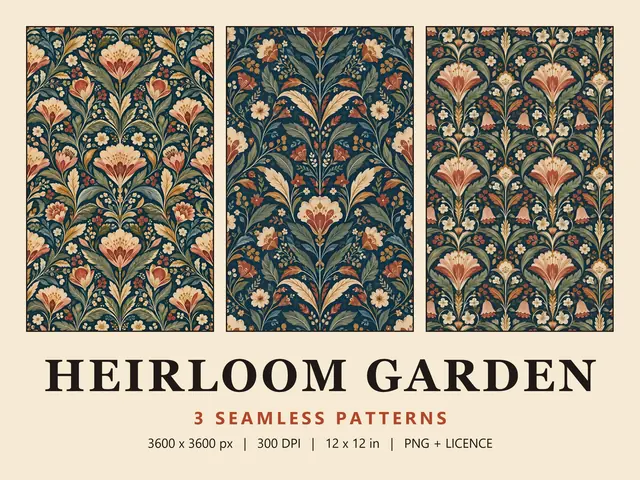
Four ways to get a pattern onto fabric
A seamless pattern is one square tile that repeats edge to edge without a visible join. To put it on fabric, you need a printer that repeats the tile across the length you order. There are four realistic routes.
- An online fabric printing service such as Spoonflower: upload the file, choose a fabric and order anything from a swatch to several yards.
- A local or trade digital textile printer, for larger runs. Ask whether they repeat the tile for you or need a print-ready file.
- Printable fabric sheets in a home inkjet printer, fine for labels, patches and quilt blocks but limited to the sheet size.
- Sublimation, for polyester fabric and polyester-coated blanks. It doesn't work on plain cotton.
The rest of this guide uses Spoonflower as the worked example, but the same rules apply with any printer.
Pixels, DPI and the size of one repeat
Most Wild Little Designs patterns are 3600 x 3600 px files saved at 300 DPI. The pixels are the real information. DPI (dots per inch) only tells a printer how many of those pixels to fit into each inch, and you can change it without changing the image.
Pixels divided by DPI gives the size of one repeat. For a 3600 px tile:
- 300 DPI: 12 x 12 in (30.5 cm), the size given in the listings, or three repeats down a 36 in yard of fabric.
- 150 DPI: 24 x 24 in (61 cm), with every motif twice as large, or one and a half repeats per yard.
- 600 DPI: 6 x 6 in (15.2 cm), with every motif half the size, or six repeats per yard.
Printing smaller never loses detail. Printing larger spreads the pixels out, and Spoonflower won't print below 150 DPI, so 24 in is the largest a 3600 px tile can go. A few files differ, so check the What's included list on each pattern page.
How Spoonflower sizes your upload
Spoonflower says it converts every file to 150 DPI during upload and works out the size from the pixels alone. The 300 DPI saved in the file is ignored, so a 3600 px pattern arrives at 24 x 24 in, twice the size in the listing photos.
Its design layout page sets the size with a scale control: 100% is the size at upload, 50% matches the old 300 DPI setting and 25% matches 600 DPI. You can type a percentage or a width, but you can't go above 100%.
- Unzip the download if needed, then upload the PNG or JPG. Spoonflower accepts both under 40 MB.
- Leave the repeat on Basic, the default for new uploads.
- Set the scale: 50% for the 12 in repeat in the listing, or up to 100% for 24 in.
- Zoom the preview out to see the repeat across the width, then in to check detail.
- Keep the design Private, which is how every upload starts.
- Order a swatch on your chosen fabric before you order yardage.
Basic, half-drop, half-brick, mirror or centre
Spoonflower offers five repeat layouts, and the right one depends on how the tile was built.
- Basic tiles the design straight up and across. Wild Little Designs files tile edge to edge in every direction, so Basic is the one to use.
- Half-drop shifts each column vertically by half a tile. It suits tiles built as half-drop repeats; on a standard tile, motifs that cross the side edges may not meet.
- Half-brick shifts each row sideways by half a tile, like brickwork, with the same risk at the top and bottom edges.
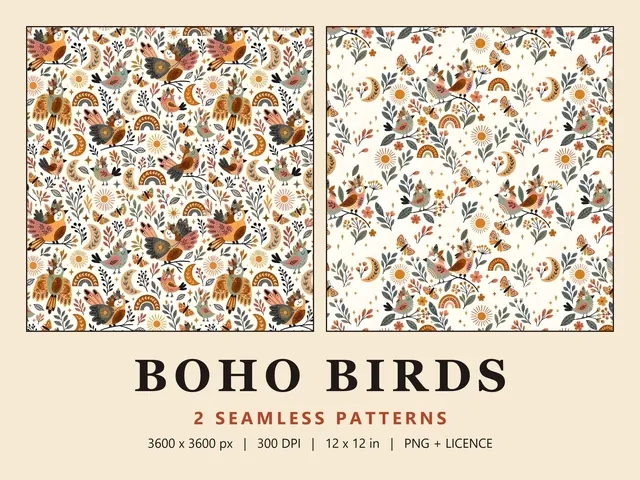
- Mirror folds the design into four mirrored sections, which Spoonflower suggests for photos that don't repeat smoothly. On a seamless pattern it changes the design, turning gnomes, animals or birds back to front or upside down.
- Centre prints one copy in the middle of the fabric and leaves the rest unprinted. It is available on fabric only.
Choosing a scale for your project
Scale changes the character of a print: a busy floral from the Folk & Scandi collection reads as a texture at 6 in and as a statement at 24 in. Useful starting points:
- Baby and children's clothes, pouches and small accessories: a 6 to 8 in repeat (25% to about 33%).
- Cushions, tote bags, dresses and tea towels: 12 in (50%), the size shown in the listings.
- Curtains, duvet covers, throws and upholstery: 18 to 24 in (75% to 100%).
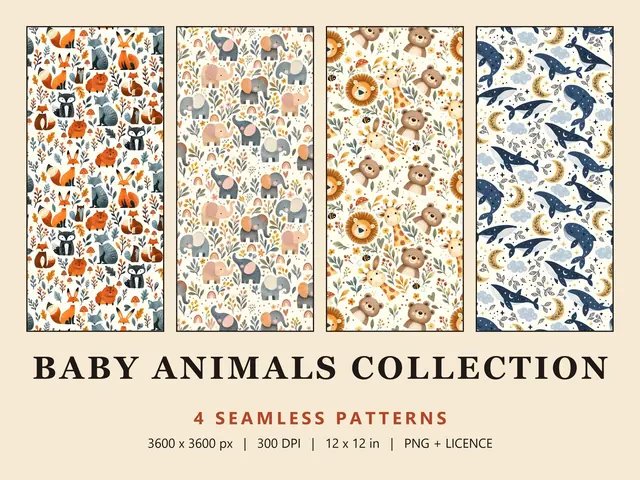
To judge motif size, print part of the file on paper at your chosen scale and hold it against the project. Prints with a clear up and down, such as the animals in the Baby Animal Bundle, need every piece cut the same way up, so allow extra fabric. Spoonflower's Fill-A-Yard templates fit several designs on one length of fabric for comparison.
Checking colour with a test swatch
Colour shifts between screen and fabric, and from one fabric to another. Spoonflower prints in sRGB and says a physical sample is the only way to know how colours will translate. Its fabric swatches are 8 x 8 in (20 x 20 cm), enough to show a 6 in repeat whole.
Order the swatch on the exact fabric you will use, and order a fresh one if you recolour the pattern.
What the licence lets you do with fabric
Wild Little Designs patterns come with a small business licence. For fabric, the line is simple: you can have fabric printed for things you make, but you can't sell the fabric or the design.
- Allowed: having fabric printed by Spoonflower or another printing service for your own projects.
- Allowed: sewing products from it, such as baby clothes, cushions or bags, and selling up to 500 units per pattern.
- Allowed: resizing, recolouring or cropping the pattern for your products.
- Not allowed: switching the design to For Sale on Spoonflower, or uploading it to a print-on-demand marketplace such as Redbubble, Society6 or Zazzle.
- Not allowed: selling the printed fabric itself, by the metre or yard.
- Not allowed: sharing, reselling or giving away the digital file.
For more than 500 units, message the shop through Etsy about an extended licence. The full terms are on the licence page, and every design is in the pattern catalogue.
Questions
Why is my pattern twice the size on Spoonflower?
Spoonflower converts every upload to 150 DPI and sizes it from the pixels alone, so a 3600 px pattern meant to print at 12 in arrives at 24 in. On the design layout page, set the scale to 50% or type a width of 12 in, and the repeat will match the listing.
What size should a pattern file be for Spoonflower?
Work back from the repeat you want: Spoonflower needs 150 pixels for every inch. A 12 in repeat needs at least 1800 px, and a 24 in repeat needs 3600 px. Files must be JPG or PNG and under 40 MB. A 3600 px tile can print at any size up to 24 in.
How big is a Spoonflower test swatch?
Fabric swatches are 8 x 8 in (20 x 20 cm), except on Spoonflower's two wide-format fabrics, which get 12 x 12 in swatches. Wallpaper samples are 2 x 1 ft. A swatch shows colour, texture and scale on the real material, which is the only reliable check before you order yardage.
Can I sell things I make from Spoonflower fabric printed with your patterns?
Yes. You can sell finished products, such as clothes, cushions or bags, up to 500 units per pattern. You can't sell the fabric itself, set the design to For Sale on Spoonflower or upload it to print-on-demand sites. The licence has the full terms.