How to use seamless patterns in Canva, Photoshop, Illustrator and Procreate
This guide shows you how to repeat a seamless pattern tile in Canva, Photoshop, Illustrator and Procreate, set the scale for print and keep the joins invisible.
Updated
Before you start
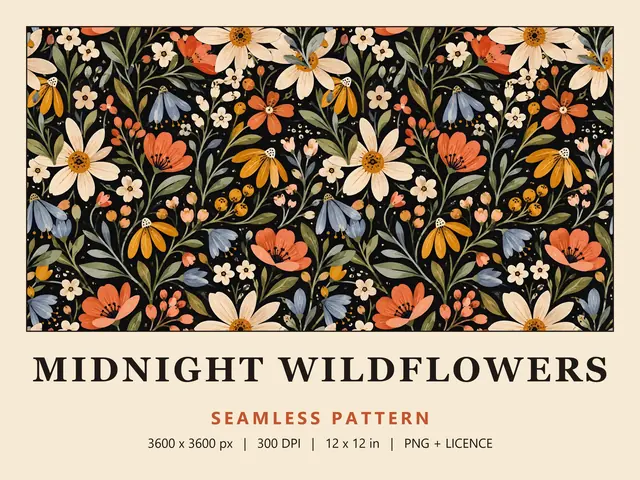
A seamless pattern arrives as one tile. Most Wild Little Designs files are 3600 x 3600 px PNGs at 300 DPI, so one tile prints at 12 x 12 in, and a few bundles come as JPG files in ZIP folders that you unzip first. Each listing in the catalogue states its exact files.
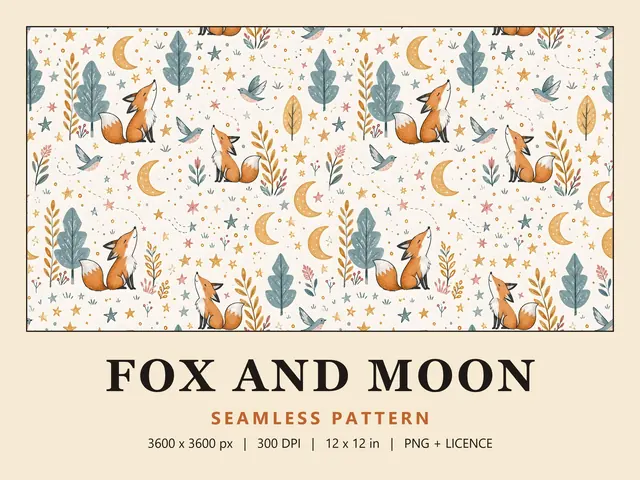
Decide how big one repeat should be on the finished item before you open an app. Use the tile at full size for a 12 in repeat, or scale it down for smaller motifs, which keeps it sharp; scaling up past full size softens detail. A nursery print such as Fox and Moon might repeat at 12 in on a cot quilt but at 3 in on a bib.
How to use seamless patterns in Photoshop
In Photoshop, you save the tile as a pattern preset, then fill a layer or selection with it. Follow these steps:
- Open the tile and use Select > All to select the whole image.
- Select Edit > Define Pattern, enter a name and click OK. The pattern is saved to the Patterns panel.
- Open the document you want to fill, select Layer > New Fill Layer > Pattern, then pick your pattern and set its Scale and Angle.
- To fill a selection instead, select Edit > Fill, set Contents to Pattern and pick your pattern from the Custom Pattern menu.
Scale works on the tile's pixels. At 100%, one repeat is 3600 px, which is 12 in when the document is set to 300 pixels per inch; at 50%, it's 6 in. A Pattern Fill layer keeps these settings editable, so you can change the scale later without touching the tile.
To fill type or a shape layer, use Layer > Layer Style > Pattern Overlay instead. It applies the same pattern presets as a layer effect.
How to use seamless patterns in Illustrator
Illustrator stores a pattern as a swatch that you can apply to the fill of any shape. Follow these steps:
- Select File > Place, choose the tile and clear the Link checkbox, so the image is embedded in the document. To embed an image you've already placed, select it in the Links panel and choose Embed Image(s) from the panel menu.
- With the image selected, select Object > Pattern > Make. Illustrator switches to Pattern Editing mode and opens the Pattern Options panel.
- Set Tile Type to Grid and check that the tile Width and Height match the image, so the repeat lines up with its edges. Click Done in the grey bar at the top of the window, and the pattern appears in the Swatches panel.
- Select a shape, click Fill in the Properties panel and then click your pattern swatch.
To resize the pattern without resizing the shape, select Object > Transform > Scale and enter a percentage. Select the Transform Patterns checkbox, clear the Transform Objects checkbox and click OK.
How to use seamless patterns in Canva
Canva's editor has no pattern fill, so you repeat the tile yourself. A third-party app in Canva's Apps section can also tile an image, but this manual method needs no extra app and gives you an exact repeat size:
- Create a design with Custom size, set Units to inches (in) or millimetres (mm) and enter your print size.
- Open the Uploads tab, select Upload files and add the tile to your page.
- Select the tile, select Position and, under Advanced, enter the same value for Width and Height. That value is the size of one repeat.
- Set the tile's X and Y to 0, so it sits in the top-left corner. Press Control+D (Command+D on a Mac) to duplicate it, then set the copy's X to the tile width, so the two edges meet exactly.
- Keep duplicating, adding the tile width to X for each column and the tile height to Y for each row, until the page is covered.
- Select Share > Download, choose PDF and pick the Print preset.
For a design up to 12 x 12 in, you might not need to repeat anything, because one full-size tile at 300 DPI already covers it. Add the tile to the page, right-click it and select Set image as background to fill the page with a single copy.
How to use seamless patterns in Procreate
Procreate has no pattern fill either: ColorDrop fills an area with your active colour only. You can still tile a pattern by hand:
- In your canvas, tap Actions > Add > Insert a file or Insert a photo. The tile comes in as a new layer.
- Tap the Transform button (the arrow icon), choose Uniform and scale the tile to your repeat size.
- Tap Snapping at the left end of the Transform toolbar and turn on its toggle. Yellow guides then align content with the canvas edges and centre, and blue guides with other content.
- Swipe left on the layer and tap Duplicate. Select the copy, tap Transform and drag it until its edge meets the first tile; tap outside the bounding box to nudge it in small steps.
- When the area is covered, merge the copies by pinching their layers together, or tap a layer and tap Merge Down.
- To fill a shape, put the pattern layer directly above the shape's layer, tap the pattern layer and tap Clipping Mask. The pattern then shows only inside the shape.
Your iPad model sets the maximum canvas size, and larger canvases allow fewer layers, so merge as you go when you tile many copies. To edit the tile itself, tap Import in the Gallery instead, and Procreate opens the file as a new canvas at its own resolution.
Sharing and selling what you make
When you've made something with a pattern, the small business licence lets you sell up to 500 physical products per pattern, such as gift wrap, cards or cushions. The licence doesn't cover passing the pattern on in digital form, so don't share or sell the tile, a Photoshop pattern preset, an Illustrator swatch or a Canva template that contains it.
Scale changes how a pattern reads. Try a busy print and a simpler one from the Christmas collection at full size and at 25%, and print both before you commit.
Questions
Can you make a pattern fill in Canva?
Not as a built-in setting. Canva's editor has no pattern fill, so the usual method is to repeat the tile yourself: set an exact width and height under Position, duplicate the tile and line up the copies with the X and Y values. A third-party app in Canva's Apps section can also repeat an image for you.
What scale should I use for a seamless pattern?
Start from the size you want one repeat to be on the finished item. At 300 DPI, a 3600 px tile prints at 12 in, so 50% gives a 6 in repeat and 25% gives a 3 in repeat. Scaling down keeps the print sharp, while scaling past 100% spreads the pixels further and softens fine detail.
Can I sell a Canva template that uses a pattern I bought?
Not with a Wild Little Designs pattern. A template passes the pattern on as a digital file, and the licence doesn't allow sharing or reselling the files, whether they're changed or not. You can use the pattern in your own designs and sell physical products made with it, up to 500 units per pattern.
Do PNG and JPG files work the same way?
Yes. Canva, Photoshop, Illustrator and Procreate all accept both formats. PNG uses lossless compression, so it keeps every detail, while JPG files are smaller. Whichever you have, keep the original file as it is and scale the tile inside your app, rather than resizing and re-saving the file.